
How to Build a Drumset Screen Setup for Drum Lessons and Practice
How to Build a Drumset Screen Setup for Lessons, Practice, and Live Performance
If you teach drum lessons, play gigs, or practice with digital sheet music and online tools, building a dedicated drumset screen setup can completely change your workflow. Instead of balancing a laptop on a chair or constantly reaching for your phone, you can mount a compact screen directly next to your kit and mirror your computer display in real time.
This setup works especially well for drum teachers using digital lesson systems, groove generators, online sheet music, play-along tracks, YouTube videos, click tracks, or interactive practice tools. In my case, I built this setup specifically to use my Adaptive Drumset Groove Generator system during drum lessons, and it has become one of the most useful upgrades in my teaching studio.
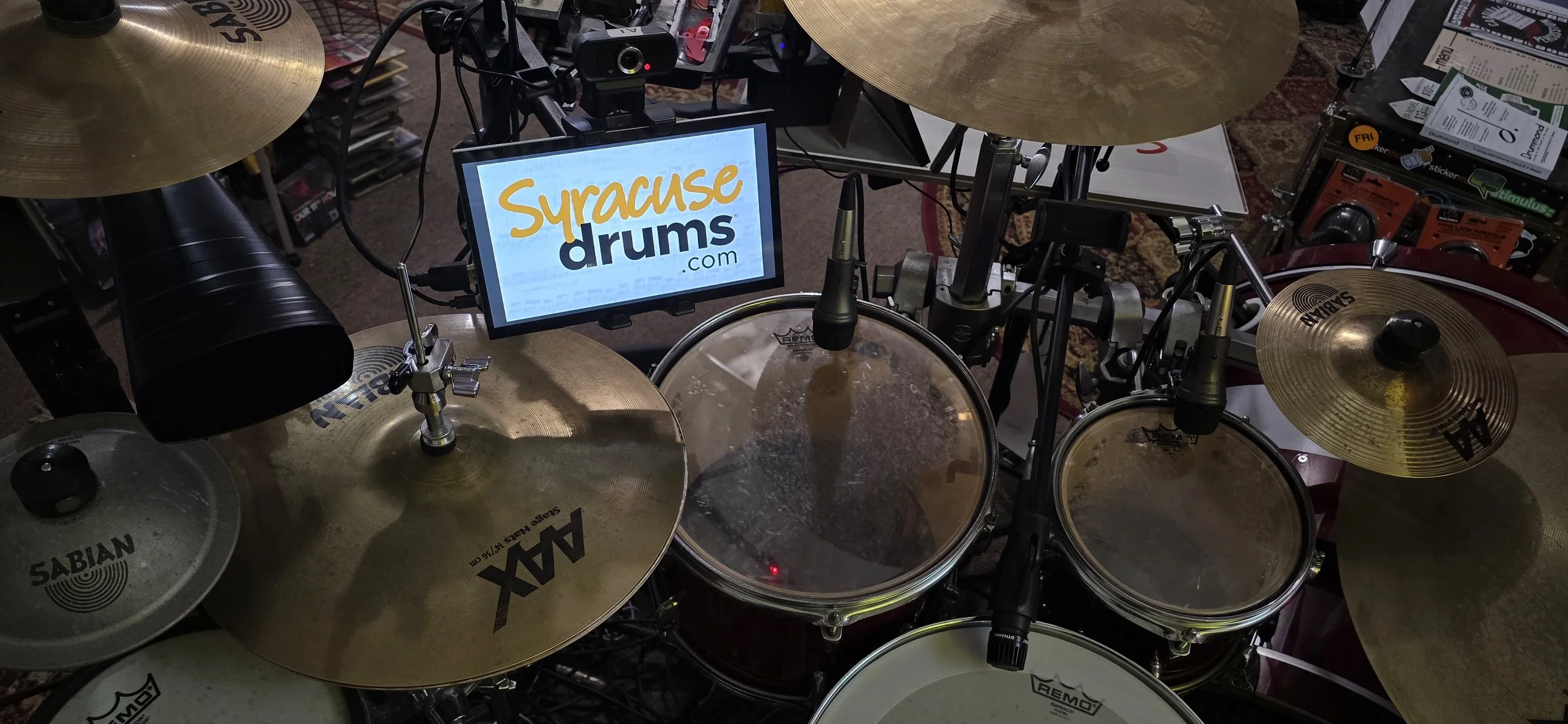
What Is a Drumset Screen Setup?
A drumset screen setup is essentially an electronic music stand designed specifically for drummers. Instead of placing sheet music, exercises, or lesson materials on a traditional music stand somewhere beside the drumset, a small monitor or tablet is mounted near the drums where the player can easily see it while playing.
The screen can display almost anything a drummer needs during a lesson or practice session. Depending on the setup, it might show written drum music, grooves and exercises, practice assignments, lesson materials, backing tracks, instructional videos, metronome information, or content mirrored directly from a computer. This allows the drummer to keep important information visible without constantly stopping to look across the room at another screen or pick up a phone.
There are several different names people might use for this type of setup. You may hear it described as a drumset monitor setup, electronic music stand, drum lesson display system, mounted drumset screen, drum practice monitor rig, or digital drum lesson station. There is not necessarily one official name for the concept, because the equipment can vary significantly from one setup to another.
Some drummers may use a simple tablet mounted to a stand, while others may use a larger computer monitor attached to a dedicated mount. A drum teacher might use a screen as part of a teaching studio, displaying exercises and assignments for students during private lessons. At home, a drummer could use the same concept to follow along with practice materials, online lessons, notation software, or backing tracks.
Regardless of the equipment or terminology, the purpose remains the same: to keep useful information directly within the drummer's line of sight while playing. A well-positioned drumset screen can make practicing and learning more efficient by reducing unnecessary interruptions and allowing the drummer to stay focused on the instrument.
For drummers who regularly use digital lesson materials, sheet music, online instruction, or computer-based practice tools, a mounted screen can become a practical extension of the drumset itself.
Why This Setup Works So Well for Drum Lessons
Traditional music stands are fine for paper. But digital teaching tools are becoming more common every year. A mounted drumset screen gives you access to:
Drum notation software
Metronome apps
Drum charts and setlists
For drum teachers, a drumset screen setup can make lessons faster, more interactive, and more organized. Instead of stopping repeatedly to hand a student a new exercise, turn pages, move a music stand, or pull up something on a computer across the room, the teacher can keep lesson materials visible right where the student is playing. This can make it easier to move from one exercise to another while keeping the lesson focused on actually playing drums.
The screen can also make lessons more interactive. A teacher can display a specific rhythm, exercise, backing track, video, or piece of music and immediately have the student work with it at the drumset. Digital materials can be changed quickly as the lesson progresses, which gives the teacher more flexibility to adjust the lesson based on what the student needs that day. It also provides a convenient place to display practice assignments so the student can see exactly what they are expected to work on between lessons.
For students, there is also something appealing about the setup itself. A drumset with a dedicated screen looks modern and feels more like a professional music workstation than a collection of drums sitting in a room. That might sound like a minor consideration, but it can actually matter. Students tend to be more interested in equipment that feels engaging, modern, and purpose-built, and a screen mounted directly to the drumset definitely has a certain cool factor.
That visual appeal can be especially useful for younger students. Anything that makes the drumset feel more interesting and interactive can help maintain attention and make lessons feel like something they want to participate in rather than simply another activity they have to do. The technology is not a replacement for good teaching, of course, but when it is used effectively, it can make the entire lesson experience feel more engaging.
The Basic Equipment You Need
Here is the basic hardware list for creating a portable drumset monitor setup.
1. Small HDMI Monitor or Portable Display
You will need a compact monitor, usually around 10" to 15". A smaller screen works surprisingly well because it sits close to the player.
Look for:
HDMI input
Lightweight design
VESA mount compatibility if possible
USB powered options
Matte screen finish to reduce glare
2. Tablet or Monitor Mount
You need a clamp or mount that attaches to a mic stand or drum hardware.
I use this monitor mount / iPad mount / tablet mount!
Good mounting options include:
Tablet holders
VESA monitor clamps
Adjustable gooseneck mounts
Multi-angle monitor brackets
Positioning matters. You want the screen visible without blocking cymbals or stick movement.
3. HDMI Cable
This connects the monitor to your laptop or desktop computer.
If your computer only has USB-C outputs, you may also need a USB-C to HDMI adapter.
4. Mic Stand for Portable Mounting
A standard boom mic stand works perfectly because it is portable, adjustable, and easy to reposition around the drumset.
I use this mic stand to mount my screen on!
This is honestly one of the smartest parts of the setup because you can quickly break everything down for gigs, rehearsals, clinics, or teaching outside your home studio.
5. Laptop Tray Clamp
This is optional, but extremely useful if you want your full computer setup attached to the same stand.
I use this laptop stand, but you might also find this trap clamp useful too!
You can place:
A laptop
Audio interface
Small mixer
Practice pad
Notebook
Stream deck
Basically, it turns one mic stand into a full drum teaching workstation.
How to Connect Everything
The setup process is simple:
Mount the screen to the mic stand
Connect the HDMI cable from the monitor to your computer (you may need an HDMI hub adapter!)
Extend or mirror your display in your computer settings
Position the screen near your hi hat or rack tom area
Open your lesson materials or groove generator
Most computers automatically detect the second monitor instantly.
Why I Built This Setup
I originally created this system to use with my Adaptive Drumset Groove Generator during lessons.
The Groove Generator is a massive interactive tool designed for drum teachers and drumset students. It instantly creates customized grooves, reading exercises, coordination patterns, variations, and lesson material that can adapt to different student skill levels.
Instead of printing pages constantly, I can display grooves directly beside the kit while teaching. Students can immediately play exercises while visually following the patterns on screen. Better yet, with just one click, I can create new grooves within the ability level of my student! Choose a specific skill and generate all possible grooves that target that metric without doing anything more than clicking one button!
It also makes lessons feel far more interactive than traditional paper methods.
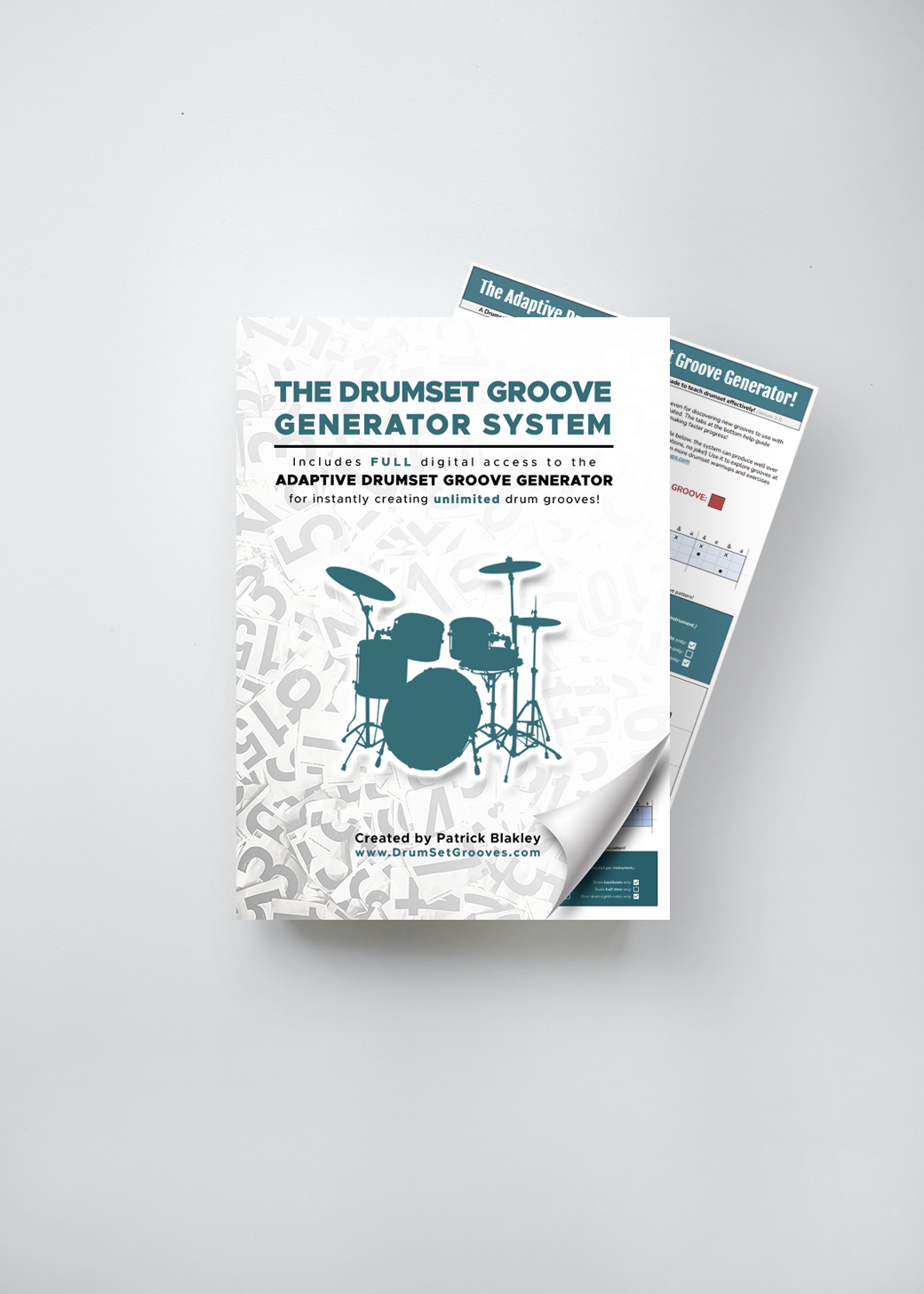
Click the image below to get your copy of the drum groove generator system!
Using the Adaptive Drumset Groove Generator With a Drumset Screen
This type of drumset screen setup pairs particularly well with digital drum teaching tools. Instead of treating the screen as simply a place to display sheet music, it can become an interactive part of the lesson and practice process. Students can read grooves directly from the drumset, follow along with an exercise in real time, and see lesson materials change as they move from one concept to the next.
Digital tools can also make it easier for students to explore ideas that would be difficult or time-consuming to demonstrate using traditional printed materials. For example, a student can work through randomized groove combinations, experiment with different rhythmic patterns, or visually explore coordination exercises directly from the drumset. The screen gives the student an immediate reference point while they are actually playing, rather than requiring them to constantly look away from the instrument.
This can be especially useful between lessons. When students practice independently, they can use the screen to keep their exercises, assignments, and other practice materials directly in front of them. Instead of trying to remember everything they worked on during their lesson, they can sit down at the drums and immediately see what they are supposed to practice. That makes the setup useful not only during instruction, but also as part of a student's regular home practice routine.
For teachers, the biggest advantage may be lesson pacing and organization. Having digital materials ready to display means less time spent searching for exercises, moving equipment, turning pages, or switching between different resources. A teacher can quickly move from one exercise to another and adapt the lesson as needed without interrupting the flow of instruction.
The result is a drum lesson environment where the technology stays out of the way while making the actual teaching and learning process more efficient. The screen is not replacing the teacher or the instrument. It is simply putting the information the student needs exactly where it is most useful: directly in front of the drummer.
If you want to see the full system I use in my own drum studio, you can check out the Adaptive Drumset Groove Generator Bundle here:
Final Thoughts
Digital teaching setups for drummers are becoming increasingly common because they solve several practical problems that traditional lesson setups can create. A mounted drumset monitor gives the drummer immediate access to lesson materials, exercises, music, and other digital resources without requiring a separate music stand or a computer positioned somewhere across the room. Despite how sophisticated the finished setup can look, the basic concept is relatively simple, portable, and affordable to build.
For drum teachers, a screen mounted near the drumset can help create a cleaner and more organized teaching environment. Lesson materials can be displayed exactly where the student needs them, and the teacher can quickly change what is being displayed as the lesson progresses. This can be useful for everything from basic drum notation and technique exercises to backing tracks, play-along material, instructional videos, and interactive rhythm exercises.
The same type of setup can be useful outside of private drum lessons. Drummers can use a mounted screen while practicing with backing tracks, working through online courses, studying drum notation, preparing for performances, or participating in clinics and workshops. A screen can also be useful in a home practice space where keeping a tablet or laptop on a nearby desk is inconvenient or difficult to see from the drumset.
One of the biggest advantages is that a drumset screen does not have to be a permanent installation. Depending on the equipment and mounting system, the screen can be positioned where it is most useful and adjusted or removed when necessary. That makes the concept practical for teachers who want the benefits of a digital teaching station without completely redesigning their studio.
If you are already using digital drum lesson tools, interactive groove systems, or other technology as part of your teaching and practice routine, a mounted screen can quickly become more than a convenience. Once the information you need is directly in your line of sight while you play, going back to a setup where everything is sitting across the room can feel unnecessarily inconvenient.
Whether you are teaching private drum lessons, practicing with backing tracks, running a drum clinic, or simply trying to modernize your practice space, a drumset screen can be a relatively simple upgrade that makes the entire setup cleaner, more efficient, and easier to use.
About the Author
Patrick Blakley is a percussion educator, author, adjudicator, and entrepreneur specializing in marching percussion and drumline education. He is the creator of DrumPacket.com, DrumlineWarmups.com, DrumAudit.com, DrumsetGrooves.com, and SyracuseDrums.com. His educational materials and performance audio edits through CompetitiveMusic.com are used by hundreds of schools and programs across the United States and beyond. He is the author of Quadratics: The Tenor Drum Equation, The Field Percussion User Manual, and other instructional music books. Read more about him by clicking here!
